A tax invoice generator is an online tool that helps draft tax-style invoice PDFs with fields for seller details, buyer details, item values, tax breakup and total amount. It can help with formatting, but it should not be used for tax, legal, government or official purposes without proper verification.
What is a Tax Invoice Generator?
A tax invoice generator is a template-based tool used to draft invoices that include tax-related fields. It helps you arrange business details, customer details, item values and tax breakup in a clear layout.
The tool helps with document preparation, not tax decision-making. Tax rates, reporting rules and official filing requirements should always be checked with a qualified accountant or tax professional.
Who Needs a Tax Invoice Generator?
A tax invoice generator can be useful for businesses, service providers, product sellers, billing admins, consultants and office teams that need structured invoice drafts for review and record preparation.
It is also useful when you want to create a neat PDF before sharing the details with an accounts team, customer or advisor.
Why Clear Tax-Style Invoices Matter
Tax-style invoices often contain more information than simple receipts. If names, values, tax fields and totals are not arranged clearly, the document becomes harder to review.
A clean draft helps reduce confusion, but accuracy still matters more than speed. The final document should be checked before any official or tax-related use.
Details to Keep Ready
Keep seller name, buyer name, invoice number, invoice date, item description, quantity, value, tax breakup, total amount, payment notes and business registration details where applicable.
Do not guess tax rates or business classifications. If the document will be used beyond general record keeping, ask a qualified professional to verify it.
How OnlineBillMaker Helps
OnlineBillMaker provides editable invoice templates with preview and PDF download. You can draft a tax-style invoice, check the layout and save the file quickly.
The platform is helpful for creating organized documents, but the user remains responsible for correctness and lawful use. Do not use generated documents for false claims or unverified official submissions.
Steps to Create a Tax-Style Invoice Online
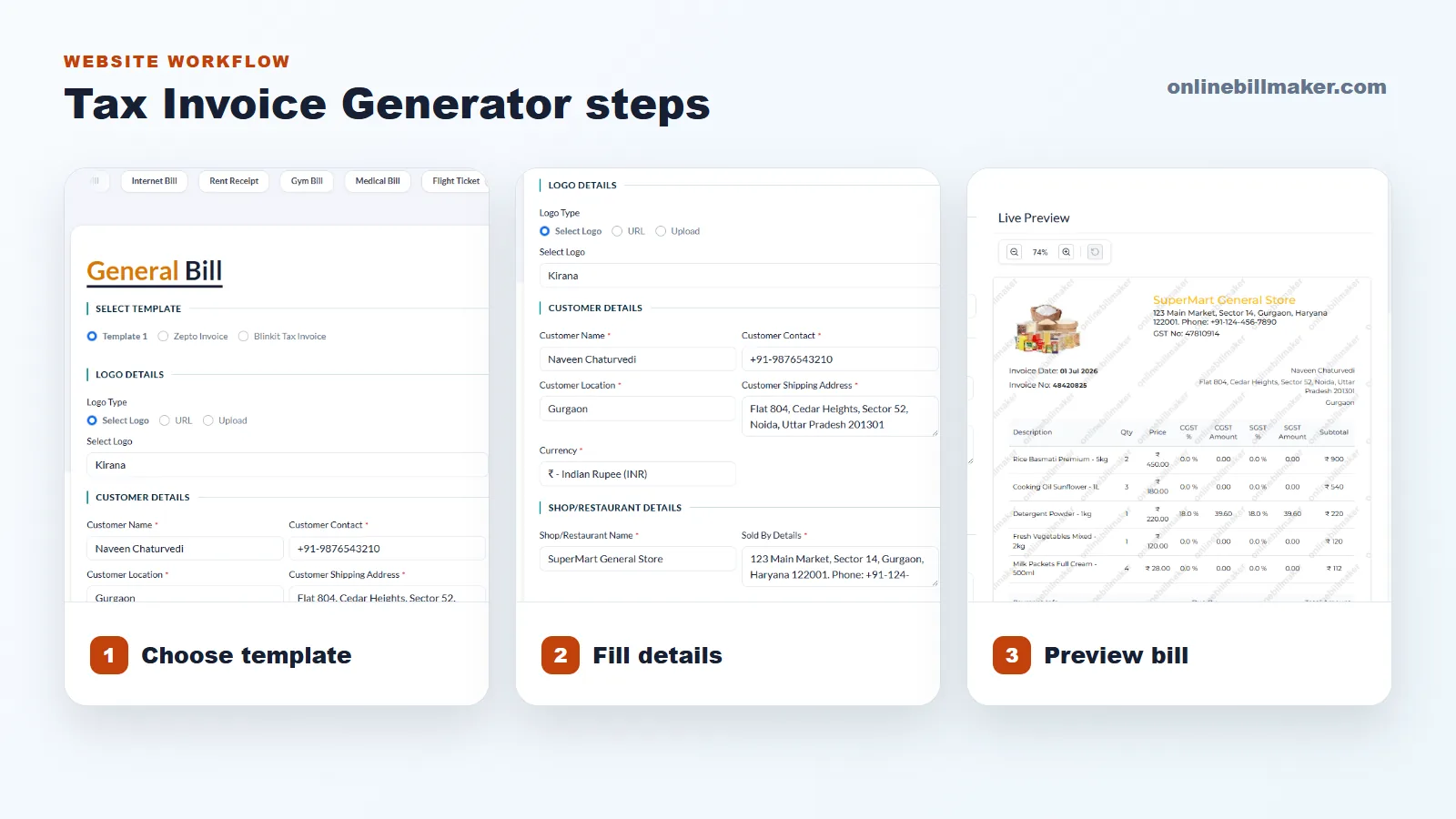
1. Choose the tax invoice or suitable invoice template.
2. Enter seller and buyer details accurately.
3. Add invoice number, date and item or service descriptions.
4. Fill value, tax-related fields, total amount and payment notes.
5. Review the preview for missing information or wrong totals.
6. Download the PDF only after verifying the details.
Responsible Use Reminder
A tax-style invoice should be handled carefully. Do not use any generated bill or invoice for tax, legal, government or official purposes unless the format and details are verified by a qualified professional.
This protects both the sender and the receiver from mistakes, confusion and misuse.