A GST invoice generator helps users prepare a GST-style invoice format with fields for supplier details, buyer details, GSTIN, invoice number, item description, taxable value, tax breakup and total amount. For any official tax, legal or filing purpose, the details should be verified by a qualified accountant or CA.
What is a GST Invoice Generator?
A GST invoice generator is an online tool that provides a structured invoice layout with GST-related fields. It helps businesses draft invoices that show supplier details, buyer information, item values and tax breakup in a neat format.
The tool is mainly useful for organizing information and creating a readable PDF. It should not replace professional tax advice, accounting review or official compliance checks.
Who Needs a GST Invoice Generator?
A GST invoice generator can be useful for registered businesses, service providers, agencies, wholesalers, retailers, consultants, billing teams and office admins who need structured invoice drafts for business records.
It is also helpful when a user wants to prepare a clear format before sending the details to an accountant, customer or internal accounts team for review.
Why GST-Style Invoices Need Clear Formatting
GST-related billing usually involves more fields than a simple payment receipt. Supplier information, buyer information, GSTIN fields, item descriptions, value breakup and total amount should be easy to read.
If a GST-style invoice is poorly formatted, the customer or accounts team may ask for corrections. A clean template reduces avoidable back-and-forth and helps everyone review the document faster.
Details to Keep Ready
Before creating the invoice, keep supplier name, business address, GSTIN, customer name, invoice number, invoice date, item or service description, quantity, rate, taxable value, tax fields, total amount and payment notes ready.
Always check the correct tax treatment, rate, place of supply and reporting requirement with your accountant or CA before using any invoice for official records.
How OnlineBillMaker Helps
OnlineBillMaker helps users create GST-style invoice PDFs with editable fields and a live preview. You can add the invoice details, review the layout and download a clean document for reference or internal records.
The tool is built for convenience, but the responsibility for accurate business and tax information remains with the user. For tax, legal, government or official purposes, verify the document before use.
Steps to Create a GST-Style Invoice Online
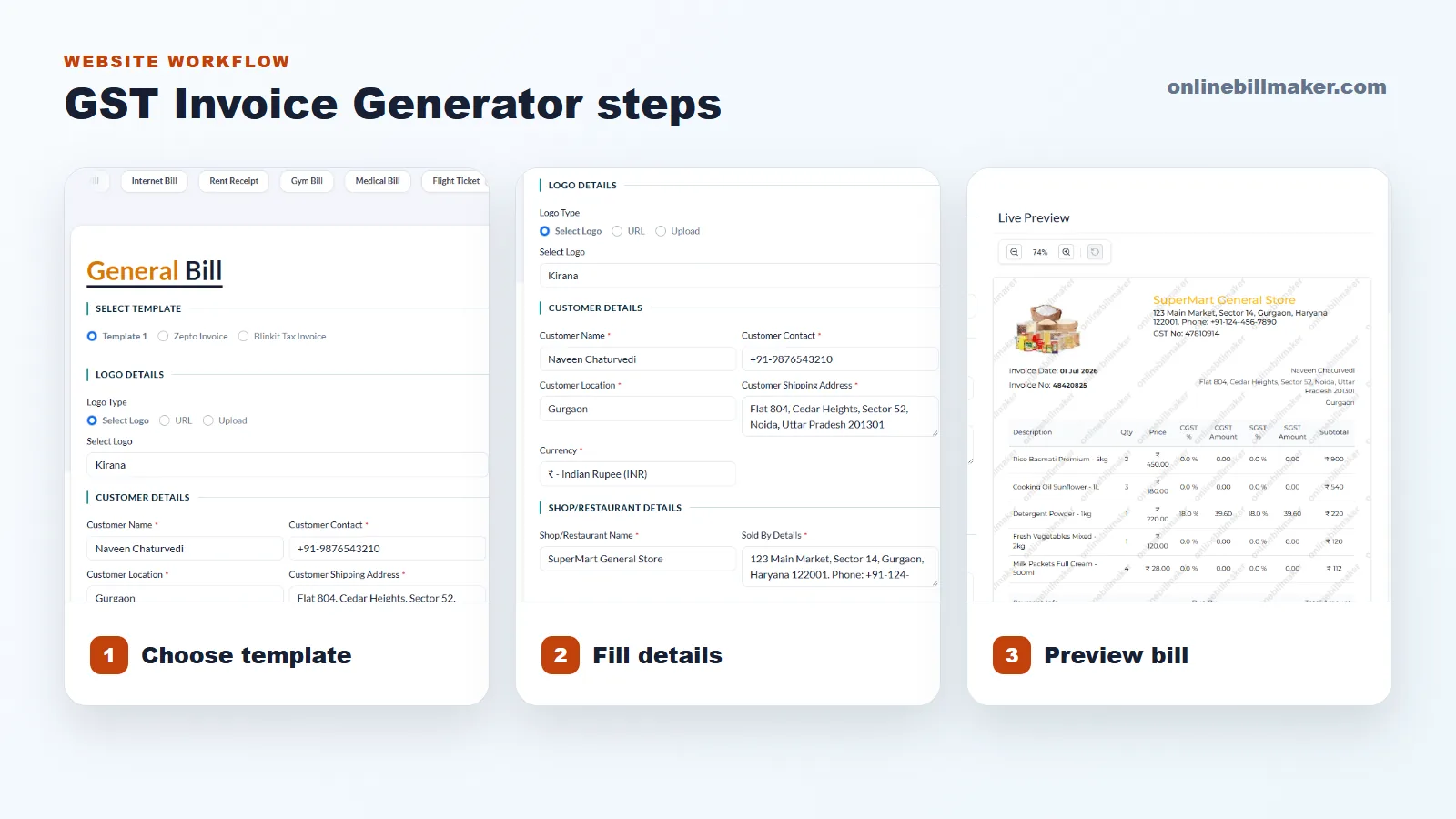
1. Choose the GST invoice template or relevant invoice format.
2. Add supplier details, GSTIN field, address and contact information.
3. Enter buyer details, invoice number and invoice date.
4. Add items or services with value, quantity and tax-related fields.
5. Review totals, spelling, tax breakup and layout in the preview.
6. Download the PDF only after checking the details carefully.
Important Compliance Reminder
A generator can create the document format, but it cannot confirm whether your invoice is suitable for a specific tax filing, e-invoicing requirement, input credit claim or legal submission.
Use the PDF responsibly. When the invoice is connected to taxation or official reporting, confirm the final format and details with a qualified professional.