A receipt generator online is a tool that helps create payment receipts by entering payer details, receiver details, date, amount, payment mode and purpose. It is useful for businesses, landlords, employees, service providers and individuals who need clean PDF receipts for records.
What is a Receipt Generator Online?
A receipt generator online is a simple tool for creating proof-of-payment style documents. You fill in the payment details, preview the receipt and download it as a PDF.
Receipts are often small documents, but they help avoid confusion later. They show who paid, who received the payment, when it happened, how much was paid and what the payment was for.
Who Needs an Online Receipt Generator?
An online receipt generator is useful for landlords, tenants, small businesses, freelancers, service providers, shop owners, employees, travel users and individuals who track expenses.
It can be used for rent receipts, service payment receipts, fuel receipts, hotel receipts, medical payment records, cab receipts, office expense records and other common payment documentation.
Why Receipts are Important for Records
Payment details are easy to lose when they remain inside chats, screenshots or informal notes. A receipt turns those details into a proper document that can be saved, shared or printed.
For small businesses, receipts create a clearer history of customer payments. For individuals, they help track monthly expenses and keep reimbursement documents organized.
Details to Add to a Receipt
A receipt should include receipt number if needed, payer name, receiver name, date, amount, payment mode, purpose of payment and notes. Some receipts may also include address, signature or business stamp fields.
Check the spelling of names and the payment amount carefully. A small error in a receipt can create unnecessary questions later.
How OnlineBillMaker Helps
OnlineBillMaker provides receipt and bill templates that can be edited quickly. You can add the payment details, see the live preview and download a clean PDF for your records.
The platform supports multiple bill and receipt categories, making it useful for users who need more than one type of payment record.
Steps to Create a Receipt Online
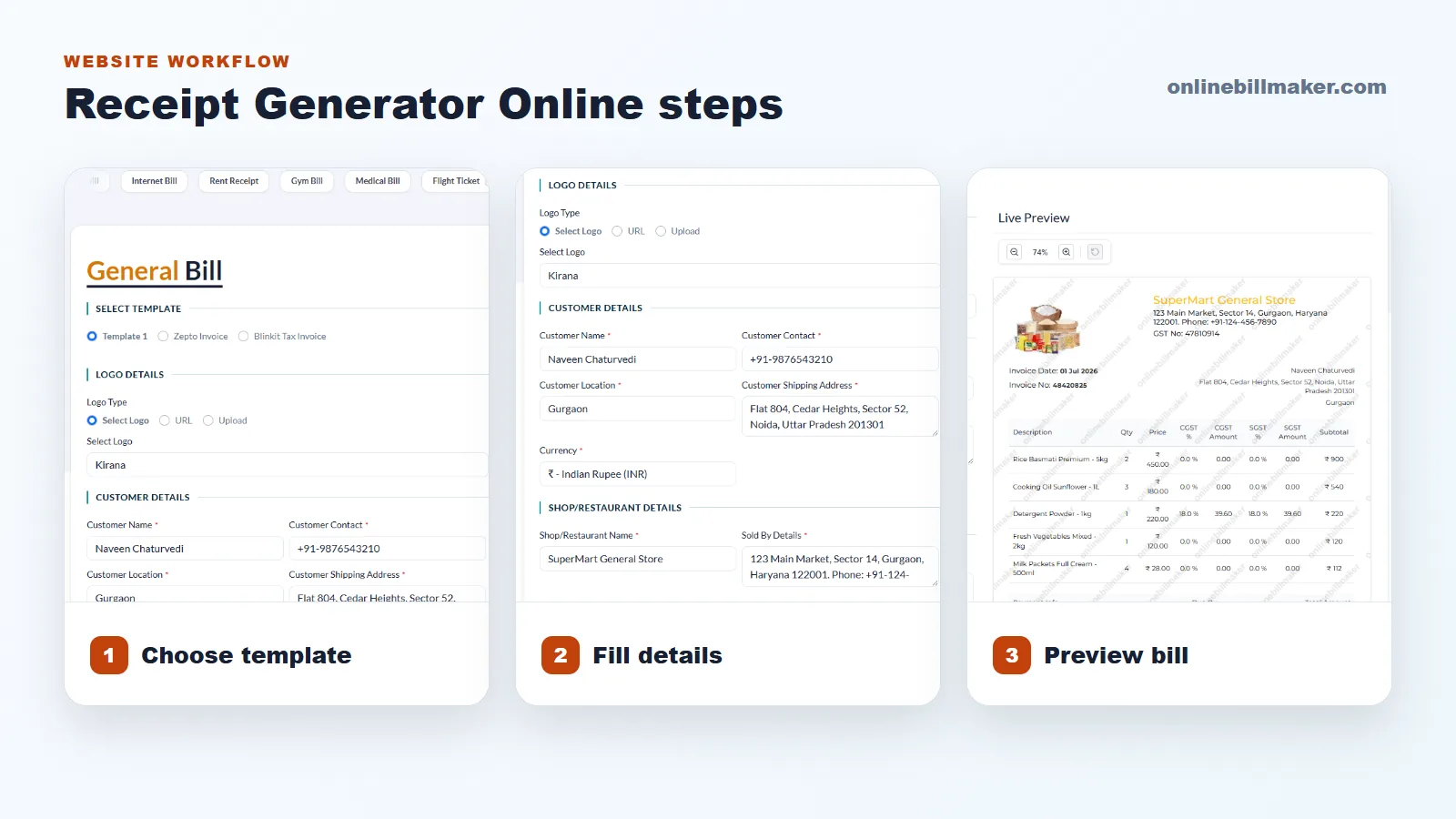
1. Select the receipt or bill category that matches your payment record.
2. Add payer, receiver and payment purpose details.
3. Enter date, amount, payment mode and notes.
4. Review the receipt preview for spelling and total amount.
5. Download the PDF and save it with a clear name.
Good Receipt Habits
Create receipts soon after the payment is made so the details are fresh. Save the PDF with a meaningful file name and store it in the correct month or customer folder.
Do not create receipts with false or misleading details. Use receipt tools only for genuine record keeping and lawful documentation.