A proforma invoice generator creates a preliminary invoice format before the final invoice is issued. It is useful for sharing expected pricing, order details, shipping information, advance payment requests or customer approval notes before a confirmed sale.
What is a Proforma Invoice Generator?
A proforma invoice generator is an online tool used to create preliminary invoice documents. A proforma invoice is not usually treated as the final bill; it is shared before final billing to explain expected costs and transaction details.
This type of document is useful when a customer wants an estimate, when an order needs approval, or when a seller wants to show expected charges before issuing the final invoice.
Who Needs a Proforma Invoice Generator?
A proforma invoice generator is useful for exporters, wholesalers, consultants, agencies, online sellers, manufacturers, service providers and businesses that discuss pricing before final billing.
It can also help teams handling advance payment requests, custom orders, shipping discussions and approval-based purchases.
Why Proforma Invoices are Useful
A proforma invoice gives both sides a clear view of the expected transaction before money, shipping or final documentation is completed. It reduces confusion by showing item details, estimated values and important terms in one place.
It also helps customers review costs before approval. When the final invoice is later created, the proforma invoice can act as a reference point for the agreed details.
Details to Add to a Proforma Invoice
A good proforma invoice should include seller details, buyer details, proforma number, date, item or service list, estimated price, quantity, payment terms, validity, shipping details if needed and notes.
The document should be clearly labeled as Proforma Invoice so it is not confused with a final invoice. This simple label prevents misunderstandings in customer communication.
How OnlineBillMaker Helps
OnlineBillMaker helps users create proforma invoice PDFs with editable fields and live preview. You can enter expected pricing, add notes and download a clean document for customer discussion.
The process is useful for businesses that need quick estimates without designing a new format every time.
Steps to Create a Proforma Invoice Online
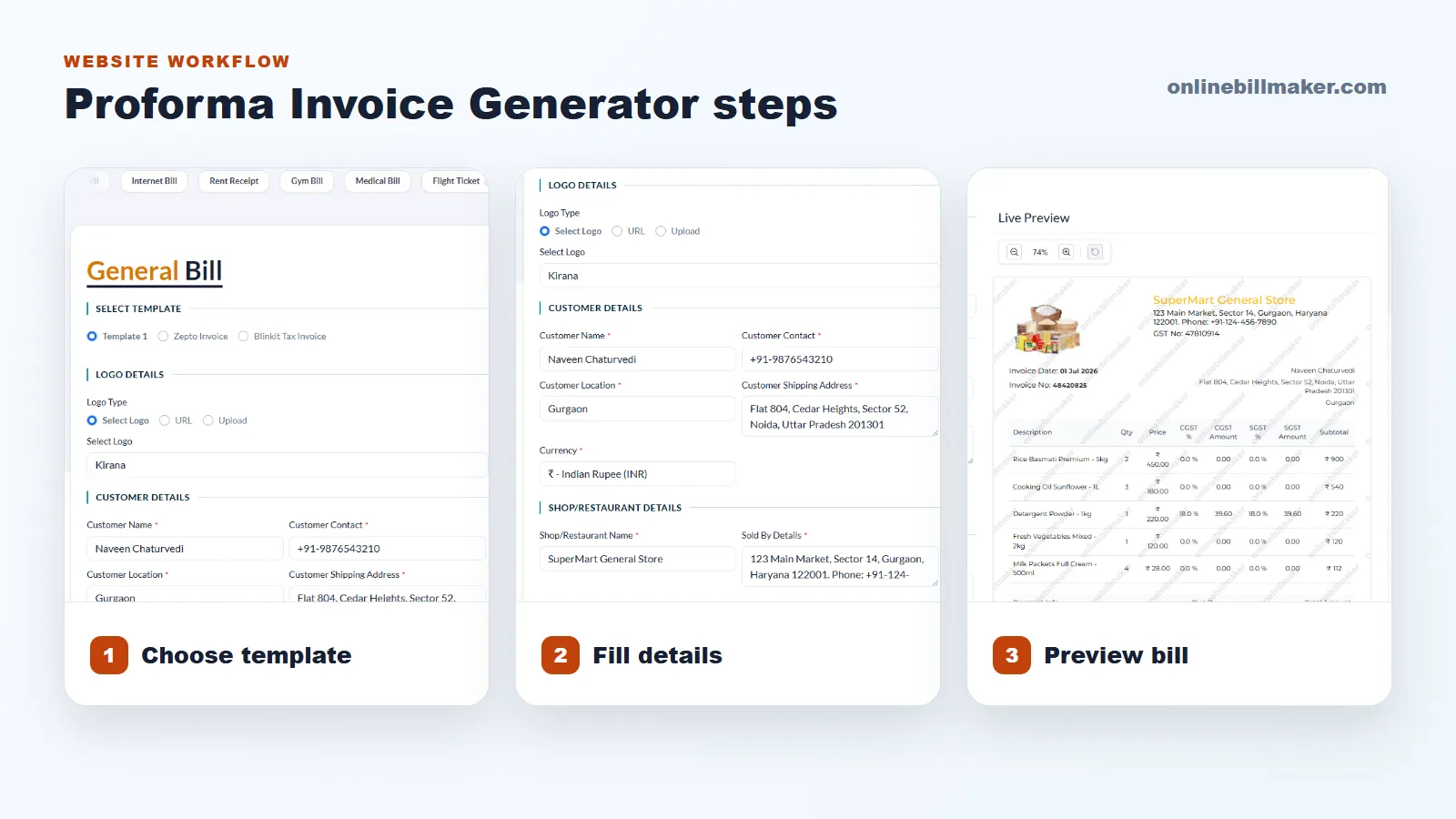
1. Select a proforma invoice or suitable estimate template.
2. Add seller, buyer and proforma invoice details.
3. Enter item list, quantity, estimated price and total amount.
4. Add payment terms, validity, shipping notes or approval notes.
5. Review the preview and confirm it is clearly labeled proforma.
6. Download the PDF and share it for approval or discussion.
Proforma Invoice Best Practices
Do not make the document look like a final invoice if the transaction is not confirmed. Use clear wording, mention validity where needed and keep all terms visible.
When the customer approves the proforma invoice, create a fresh final invoice with updated details instead of casually editing the old file.